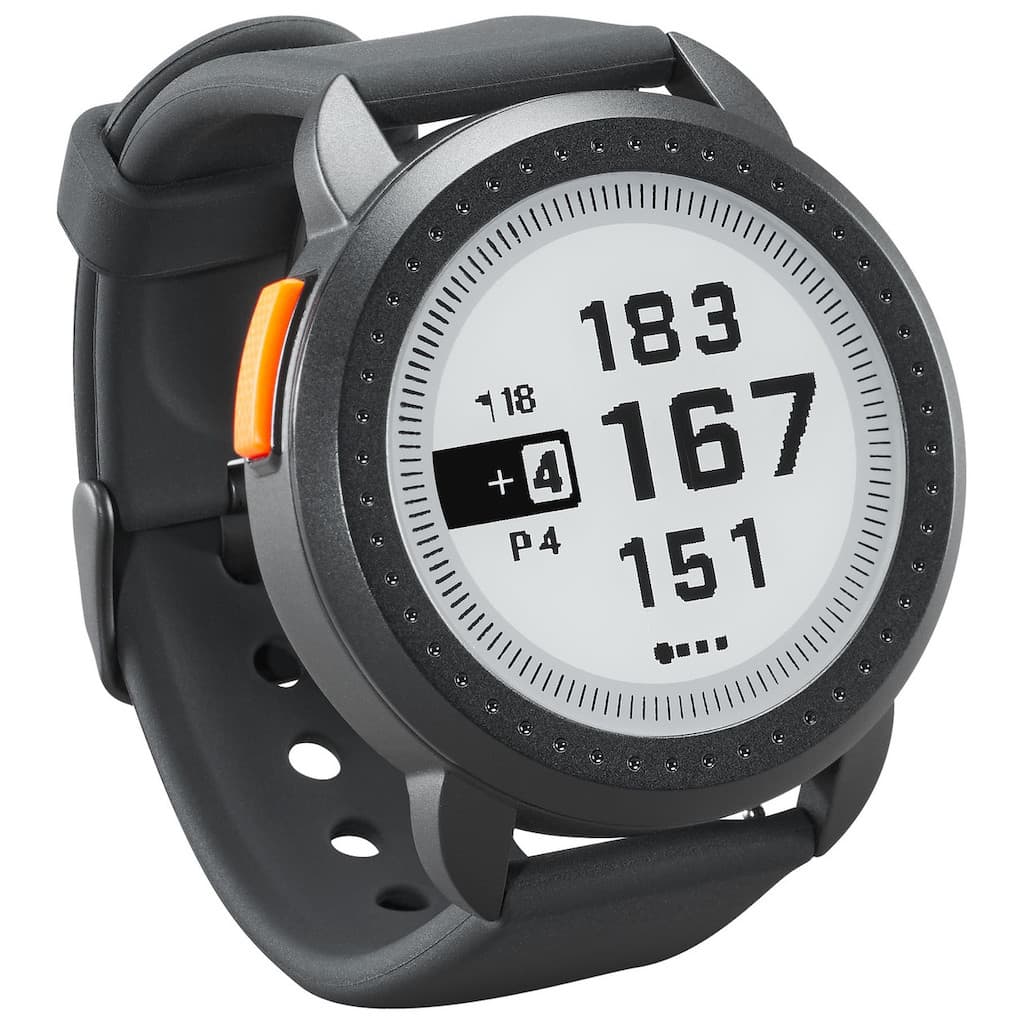
Clean the charge contacts on the back of the watch and on the charger, then reseat it. For the iON2, Bushnell's support page names contact build-up as the most common cause. The iON Elite charges through magnetic pins, so for that watch start with the iON Elite section. The two watches charge differently, so use the section for your model: the iON Elite is models 362150 and 362151, and the iON2 is 368850 and 368851. For general causes that apply to any Bushnell GPS watch, see our Bushnell golf watch not charging guide.
Quick checklist
- Clean the contacts on the watch and on the charger with a soft cloth.
- Try a different USB port or a phone charger, and a different cable if you have one.
- Reseat the watch so the contacts line up with the charger pins.
- Charge at room temperature. Both Bushnell manuals say not to charge when the temperature is above 113 degrees F (45 degrees C).
- Look for the charging indicator on the screen: blinking sections around the battery symbol on the iON Elite, or the word CHARGING on the iON2.
- If it still fails, contact Bushnell.
iON Elite
The iON Elite charges through a magnetic charger with pins, not a cradle. Bushnell's iON Elite manual says to plug the standard USB end into a computer or other charging port and set the watch on top of the magnetic charging pins.
- Check the indicator. When charging works, the sections of the circle around the battery symbol blink.
- Full charge. The manual says about 3.5 hours from fully discharged. A full green circle around the battery icon means it is charged.
- Any USB port works. The manual says it is compatible with all USB ports, including smartphone chargers.
- Cable. If the cable is worn, Bushnell sells a replacement charging cable for the iON Edge and iON Elite.
- Power cycle. Hold the Power/Menu button to turn the watch off, then hold it again to turn it on (per the iON Elite manual).
- Keep it dry. The iON Elite manual describes no wet cleaning, so wipe the contacts with a dry, soft cloth.
- Reset. The settings menu has a RESET option that restores factory settings. Use it only after the steps above, because it clears your settings.
iON2
The iON2 uses a charging cradle that the watch is inserted into. Per the iON2 manual, line up the charge contacts on the back of the watch with the charge pins on the left side of the cradle, then connect the cradle to a USB port on a computer, a powered USB hub or a smartphone AC charger. The screen should show "CHARGING".
- Start from the right screen. The manual says to connect from the time (watch mode) screen or from the battery level screen.
- Brush the contacts. Bushnell says to brush the clip contacts at the bottom of the watch regularly, because dirt on them can affect charging and data transfer. Use the soft-bristled brush that comes with it. Hard or wire brushes can scratch the watch.
- Use the cleaning method from support. Bushnell's iON2 support page says to wipe the contacts gently with a soft cloth and window cleaner or a mild soap and water solution, then hold the bottom-right power button for 15 seconds to test whether it takes a charge. Let the contacts dry completely before you put the watch back on the cradle.
- Reset. The manual lists RESET, then DEFAULT SETTINGS, to restore original settings. It says the other two options under reset device are for qualified service technicians only.
Do not open the watch
Neither manual lets you replace the battery yourself. The iON Elite manual says the battery is not replaceable. The iON2 manual says the battery must be replaced by a qualified technician. Do not open the watch or try to service the internal battery.
When to contact Bushnell
If a clean contact, a different cable and a reset do not help, the watch or its charger may be faulty, or the battery may have reached the end of its life. Use the form on Bushnell's contact page, and check your warranty first. If you are shopping for a replacement, see our golf GPS watch guide.
Source and date
Charging details checked against Bushnell's iON Elite and iON2 manuals and iON2 support page on 5 October 2026.
More: best golf gadgets.