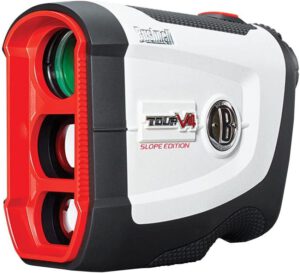
For a general guide to rangefinders see our golf rangefinder guide. With the Tour V4 turned off, press and hold the Power/Fire button for about 7 seconds. The display then starts cycling through yards and meters. Release the button when the unit you want is showing. The Tour V4 and Tour V4 Shift use the same method, and the unit stays selected the next time you switch on. Details are in Bushnell's Tour V4 Shift manual (PDF linked from Bushnell's support page).
Steps: meters to yards (or yards to meters)
- Start with the rangefinder off. It has no off button: the display switches off by itself about 10 seconds after the last reading, so wait for a blank display.
- Press and hold the Power/Fire button, the single button on top. Do not tap it.
- Keep holding. The Tour V4 Shift manual says that after 7 seconds the display begins to cycle through the options (the manual for the standard Tour V4 and Tour V4 Slope describes the same hold-and-release method).
- Look at the lower right of the display. The unit indicators are there: Y for yards and M for meters.
- When the unit you want is showing, release the button. That selects it.
Changing from yards to meters lights the M indicator and turns off the Y. Changing from meters to yards does the opposite. The rangefinder returns to the last unit you used every time it is switched on, so you only need to do this once.
Tour V4 Slope (model 201661)
On the Tour V4 Slope, the same hold-and-release step cycles through four settings, not two: Yards with Slope, Yards, Meters with Slope, and Meters. Release the button on the one you want. This is described in Bushnell's Tour V4 and Tour V4 Slope manual.
The Tour V4 Shift works differently. Slope is not in the cycle. You slide the logo on the body to show "Slope Edition" for slope readings, and slide it back down to make the unit tournament conforming. See our Tour V4 Shift review and the V4 vs V4 Shift comparison.
Buttons and modes
Bushnell's manuals show one control on the top of the Tour V4 and Tour V4 Shift, the Power/Fire button, plus the eyepiece ring. They do not describe a separate mode button. Bushnell's manual describes no separate mode button.
- Wake the display: press Power/Fire once. The display stays on for 10 seconds and shows the last reading.
- Measure: aim the circle at the target, then press and hold Power/Fire until the range appears.
- Power off: the manual describes no power-off button or step. The display stays active for 10 seconds after a reading.
If it will not change
- If nothing happens, the battery may be weak. Bushnell's troubleshooting section says to replace a weak battery with a good-quality 3-volt lithium cell. See the rangefinder battery guide.
- A blank display when you fire the laser also points to the battery, according to the manual.
Related guides
Compare the models in Bushnell Tour V4 vs V4 Shift, read the full Tour V4 Shift review, or see all golf rangefinders. Not sure a rangefinder is worth it? Read is a rangefinder worth it.
Source and date
Steps checked against Bushnell's Tour V4, Tour V4 Slope and Tour V4 Shift manuals and Bushnell's Tour V4 Shift support page on 5 October 2026. Bushnell now lists the Tour V4 Shift as discontinued.