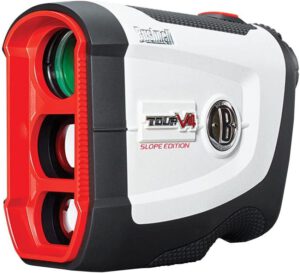

The Bushnell Tour V4 and Tour V4 Shift use a CR-2 3-volt lithium battery. Bushnell's manuals say to replace it at least once every 12 months, and its support page says every six months if you play often. Our NX7 Pro review lists a CR2 battery, but we could not confirm it on Precision Pro's pages. For other models see our golf rangefinder guide; the table shows what we could confirm for each.
Battery by model
| Model | Battery | Life and replacement | Source |
|---|---|---|---|
| Bushnell Tour V4 and Tour V4 Slope (201660, 201661), compared in Tour V4 vs V4 Shift | CR-2 3-volt lithium, included | Replace at least once every 12 months | Bushnell manual |
| Bushnell Tour V4 Shift (201760) | CR-2 3-volt lithium, included | Replace at least once every 12 months; low battery icon shows one bar | Bushnell manual |
| Precision Pro NX7 Pro | CR2 3-volt, per our review (not confirmed by a maker page) | Maker life figure not confirmed | Our review |
| GolfBuddy LR7S | Replaceable battery supplied; type not confirmed | Battery indicator tracks 3000 to 5000 estimated uses (per a trade press report of GolfBuddy's launch) | Golf Business News |
Bushnell also gives a shorter interval on its support pages. The Tour V4 Shift support page recommends replacing the battery at least every six months and carrying one or two spares. Use that if you play often.
When to replace it
Bushnell's support pages list these signs for the Tour V4 family:
- The unit will not turn on.
- The display does not light up.
- The display goes blank when you fire the laser.
The Tour V4 Shift manual adds that when the battery icon shows one bar, the battery is low. If the battery drops below a safe level the icon flashes and the unit will not range. The manual says a weak or low-quality battery is the cause when the display goes blank on firing, so use a good-quality 3-volt lithium cell.
How to replace a Tour V4 or Tour V4 Shift battery
- Find the battery cap on the body. Lift the tab on the cap.
- Turn the cap counter-clockwise to remove it.
- Insert a CR-2 3-volt lithium battery negative (flat) end first.
- Put the cap back on and turn it to close.
- Bushnell's Tour V4 support page says to press and hold the Fire button for 10 seconds after fitting a fresh battery to reset the unit.
Steps 1 to 4 follow the replacing-the-battery section of Bushnell's Tour V4 Shift manual; step 5 follows the support page. If you want to change the display units afterward, see how to change a Tour V4 from meters to yards.
Precision Pro NX7 Pro
Our NX7 Pro review lists a CR2 3-volt battery in the box. That review also mentions a free lifetime battery replacement offer. Precision Pro's battery replacement page now says the company has discontinued its Free Battery Replacement Service because of tariff increases and rising import costs, so do not buy an NX7 Pro expecting free batteries. Precision Pro also lists replacement battery doors for the NX7 Pro in its replacement parts collection.
GolfBuddy LR7S
GolfBuddy's launch announcement says the LR7 and LR7S have a battery indicator that keeps track of 3000 to 5000 estimated uses. GolfBuddy no longer lists the LR7S on its main product page, so use the manual that came with your unit for the battery type and compartment. See our LR7S review for the unit itself.
Keeping a rangefinder battery going
- Replace the battery on a schedule instead of waiting for it to fail mid-round.
- Carry a spare. Bushnell recommends one or two.
- Use a quality lithium cell. Bushnell's troubleshooting tells you to replace a weak battery with a good-quality 3-volt lithium battery.
- If the display is blank, check the battery before anything else.
For help choosing a model, see our golf rangefinder guide. Watch owners with a charging problem can read Bushnell Ion Elite and Ion 2 not charging.
Source and date
Battery details checked against Bushnell's manuals and support pages, Precision Pro's battery replacement and parts pages, and GolfBuddy's launch announcement on 5 October 2026.